QR Ordering for Restaurants: The No-App Playbook
How QR ordering works for restaurants in Thailand, what it changes on a busy floor, and where a QR code ordering system earns its keep. A practical, no-app guide for owners.
QR ordering lets a guest scan a code at the table, browse your menu on their own phone, and send the order straight to the kitchen, with no app to download. Done right it turns tables faster, frees a server to run food instead of taking orders, and cuts wrong tickets because the guest picks their own modifiers. It fits casual dine-in, cafes, bars, food courts and hotels best. A single-till counter shop with a short queue may not need it yet.

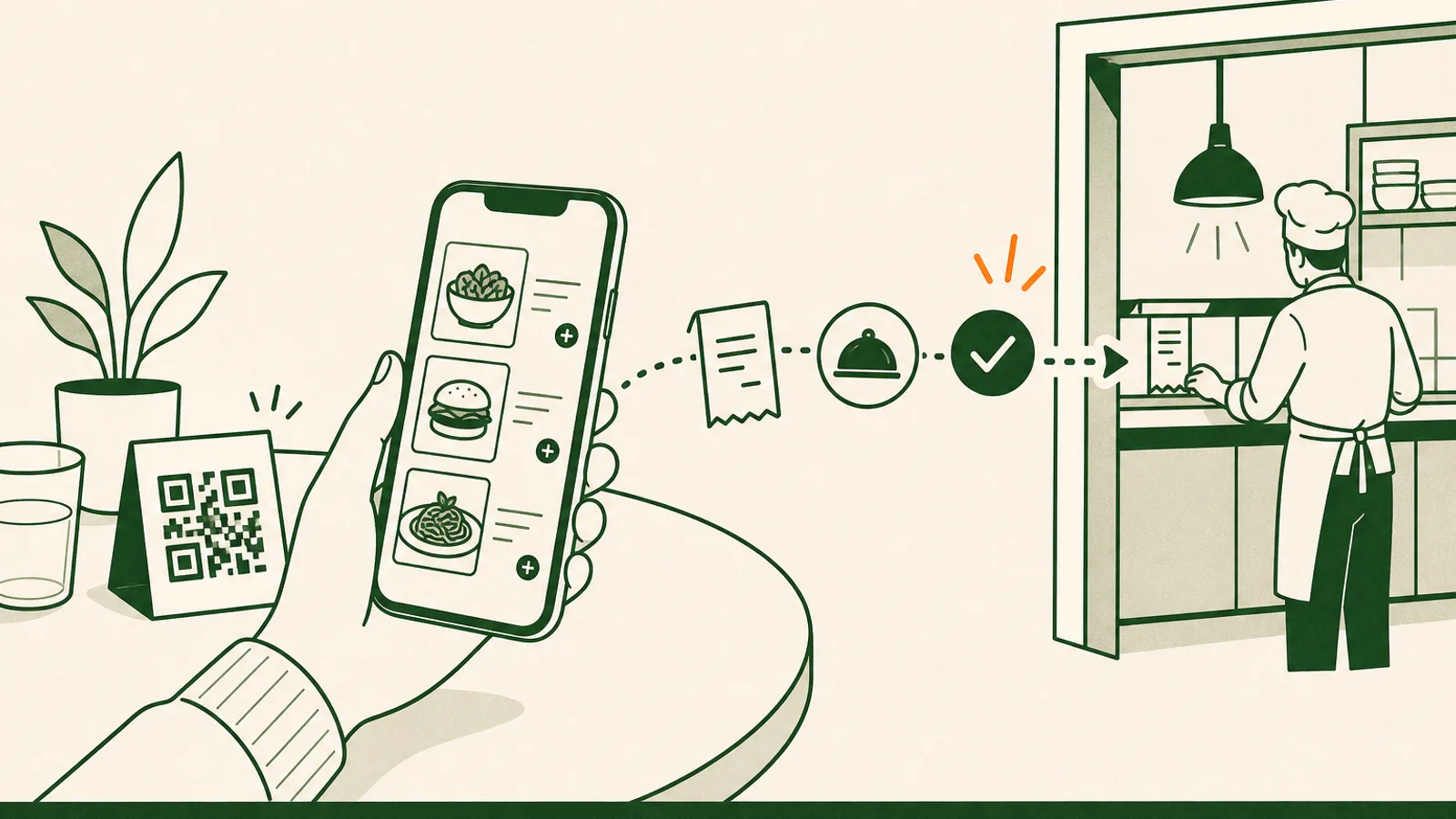
QR ordering lets a guest scan a code at the table, browse your menu on their own phone, and send the order straight to your kitchen, with no app to download and no one standing over them. For a busy restaurant in Thailand, that is often the difference between turning a table in 40 minutes and turning it in 55. This guide covers how a QR code ordering system actually works, what it changes on the floor, where it earns its keep, and where a simple till is still the right call. It is written for owners and GMs, not engineers, so every point comes back to covers, labour and baht.
How QR ordering works, with no app for the guest
The flow is short by design. Each table gets a code, on a tent card, a sticker or the receipt. The guest points a phone camera at it, and a web page opens in the browser. There is nothing to install. They see your menu with photos, prices, modifiers and, if you serve a mixed crowd, their own language. They add what they want, send it, and the ticket fires straight to the kitchen display or printer. When they want a second round of drinks, they scan again and order without waving anyone down.
That last part is the difference between a QR menu and a real QR ordering system. A QR menu only shows the food as a digital list, which saves you printing costs and nothing else. A QR code ordering system takes the order, routes it to the kitchen, and can take the payment, so no one on your team has to read it off a screen and re-key it into the POS. The menu is the easy half. The order and the clean kitchen ticket are where the time actually comes back.
The no-app rule matters more than it sounds. Every required download is a guest you lose between the table and the order, especially a tourist who does not want another app or a data-roaming charge. Papaya Order is built as web-based QR and online ordering for exactly this reason: the guest scans and orders, nothing to install.
What QR ordering changes on a busy floor
Four things shift the moment guests start ordering for themselves.
Tables turn faster. Guests order the second they have decided, not when a server is free to come over. On a packed Friday, shaving even ten minutes off average dwell time is one more seating on a popular table across the night.
Your labour goes where it is worth more. A server who is not walking back and forth to take and key orders can cover more tables and spend the saved time running food hot, clearing plates and reading the room. You are not cutting the hospitality, you are moving hands off data entry and onto the guest.
Wrong tickets drop. When the guest taps their own "no peanuts" or "extra spicy," nothing gets misheard across a loud room. Fewer remakes means less wasted food and fewer comped dishes, both of which show up in your food cost at the end of the month.
Upsell runs on every order, not just the attentive ones. A "make it a set" prompt or a suggested side sits on every item for every table, applied the same way whether the room is calm or slammed. A ฿90 side added to even one order in five adds up faster than most owners expect.
Where QR self-ordering fits, and where it does not
This is where honesty matters more than the pitch. QR ordering is a strong fit for casual dine-in, cafes, bars, food courts, buffets that sell add-ons, and hotels where guests order from the pool or the room. Anywhere the room is busy and the service is fast, self-ordering earns its keep quickly.
It is a weaker fit in a few real cases. In fine dining, the service ritual is part of what the guest is paying for, so QR is better offered as an option for drinks and extras than forced on the whole meal. Some older guests simply prefer a printed menu and a person, so keep a few printed menus at hand and never make the QR the only way to order. And if you run a single till at a counter with a short queue, a lean POS may be all you need for now. Papaya is honest about that boundary: self-ordering earns its keep once there is a floor to manage, not before.
The point is to add a faster path for the guests who want it, not to remove the human one for the guests who do not.
Setting up QR ordering the right way
You can have this live on a few tables in an afternoon if you do it in order.
- Build one master menu with photos and modifiers. The QR menu should read from the same menu as your dine-in and delivery orders, so a price change or an 86'd item updates everywhere at once. Photos and clear modifiers do most of the selling.
- Map each code to its table or channel. The kitchen ticket should say
QR T7, not just "online order," so the runner knows exactly where the food goes. - Decide pay-now or pay-later. Pay-now by PromptPay, card or e-wallet cuts skipped bills and speeds the turn. Pay-later keeps the relaxed dine-in rhythm for a sit-down room. Pick per venue, or even per section.
- Put the code where hands already land. A table tent, a sticker on the table, or a code on the receipt for the next visit. If guests have to hunt for it, they will flag a server instead.
- Route every QR order into one kitchen queue. QR, dine-in and delivery should hit the same display or printer setup, each tagged by channel, so the line works one queue instead of watching several screens.
- Retrain the floor for the new role. Brief staff that their job shifts from taking orders to running food and hospitality, and keep those few printed menus for anyone who wants one.
QR ordering as part of one system, not a bolt-on
The reason QR ordering pays off is that the order does not stop at the kitchen. Because it writes into the same order stream as your dine-in and delivery sales, three things happen without extra work. Stock depletes once, so a dish sold by QR takes the same ingredients off your count as one a server rang up. Food cost stays honest across every channel. And payments reconcile in one place instead of a separate report per ordering tool.
That only holds if QR ordering is part of your restaurant POS, not a separate app bolted onto the side. When it is separate, someone ends up re-keying, and you have quietly hired a second job. On Papaya, QR ordering, the floor POS and payments are the same system, delivery through Grab is native, and orders that come in through LINE MAN or foodpanda are reconciled on the same screen rather than claimed as a live two-way integration. That is the honest line, and it is the line that keeps your Monday report trustworthy.
What to measure after you switch it on
Do not guess whether it worked. Pick a section, turn QR ordering on, and track five numbers for two weeks against a comparable stretch before.
- Average dwell time per table. The headline number. Faster turns on your busy tables are the whole game.
- Covers per server per shift. This is where the labour saving shows up as capacity, not layoffs.
- Average check. Consistent upsell prompts usually nudge this up a few percent.
- Share of orders placed by QR. Tells you how many guests are choosing it, and whether the code placement is working.
- Voids and corrections. Should fall, because guests enter their own modifiers.
Run those numbers before you commit the whole floor. QR ordering is easy to expand and easy to pull back, so let the covers and the dwell time make the decision. When they move in the right direction, and for most busy rooms they do, roll it out and start free.
Frequently asked questions
Does the guest have to download an app to order by QR?
No. A proper QR code ordering system opens as a web page in the phone's browser the moment the camera reads the code, so the guest orders in seconds with nothing to install. Papaya Order works this way on purpose, because every required download is a guest you lose before they order.
Is QR ordering the same as a QR menu?
No. A QR menu only shows the menu as a digital list. A QR ordering system also takes the order, fires it to the kitchen, and can take payment, so no one has to re-key it into the POS. The menu is the easy half. The order and the kitchen ticket are where the time is saved.
Will QR ordering replace my servers?
No, it changes their job. Instead of walking to a table to take an order and walking back to key it in, staff spend that time running food, handling questions and looking after guests. Most rooms cover more tables per server without cutting the hospitality that makes people come back.
Can guests pay through the QR order?
Yes. You can let guests pay on their phone by PromptPay, card or a Thai e-wallet at the moment they order, or keep a pay-at-the-end flow if that suits your service. Pay-now cuts skipped bills, pay-later keeps the relaxed dine-in rhythm. Both reconcile in one place.
Start with one section of the floor
QR ordering is not about removing people from the room. It is about removing the walk-back to the till and the misheard modifier, so your team spends its hours on food and hospitality instead of data entry. The guest orders when they are ready, the kitchen gets a clean ticket, and the sale lands in the same system as everything else.
You do not have to switch the whole room over on day one. Put codes on one section, keep a few printed menus for guests who want them, and watch dwell time and covers per server for two weeks. When the numbers move, roll it out to the rest of the floor.
More on Online & multi-channel ordering
Run dine-in, QR, takeaway and delivery from one menu and one kitchen queue.