Kitchen display system vs kitchen printer: the real test
A kitchen display system swaps paper tickets for a screen. When a KDS earns its keep in a Thai kitchen, what it costs per screen, and when printers still win.
A kitchen display system is a screen at the pass or at each station that replaces the printed ticket: orders appear the moment they are fired, a timer runs on each one, and the cook bumps it when the dish goes out. A KDS earns its keep when more than two stations touch the same ticket, when orders land from several channels at once, or when nobody can say where table 12's food is without walking to the pass. Below that line, routed kitchen printing costs less and breaks less. Vendor KDS software runs about $20 to $30 per screen per month before hardware, and it is priced per screen, so a three-station kitchen pays three times. Decide from your station count and your reprint log, not from the demo.

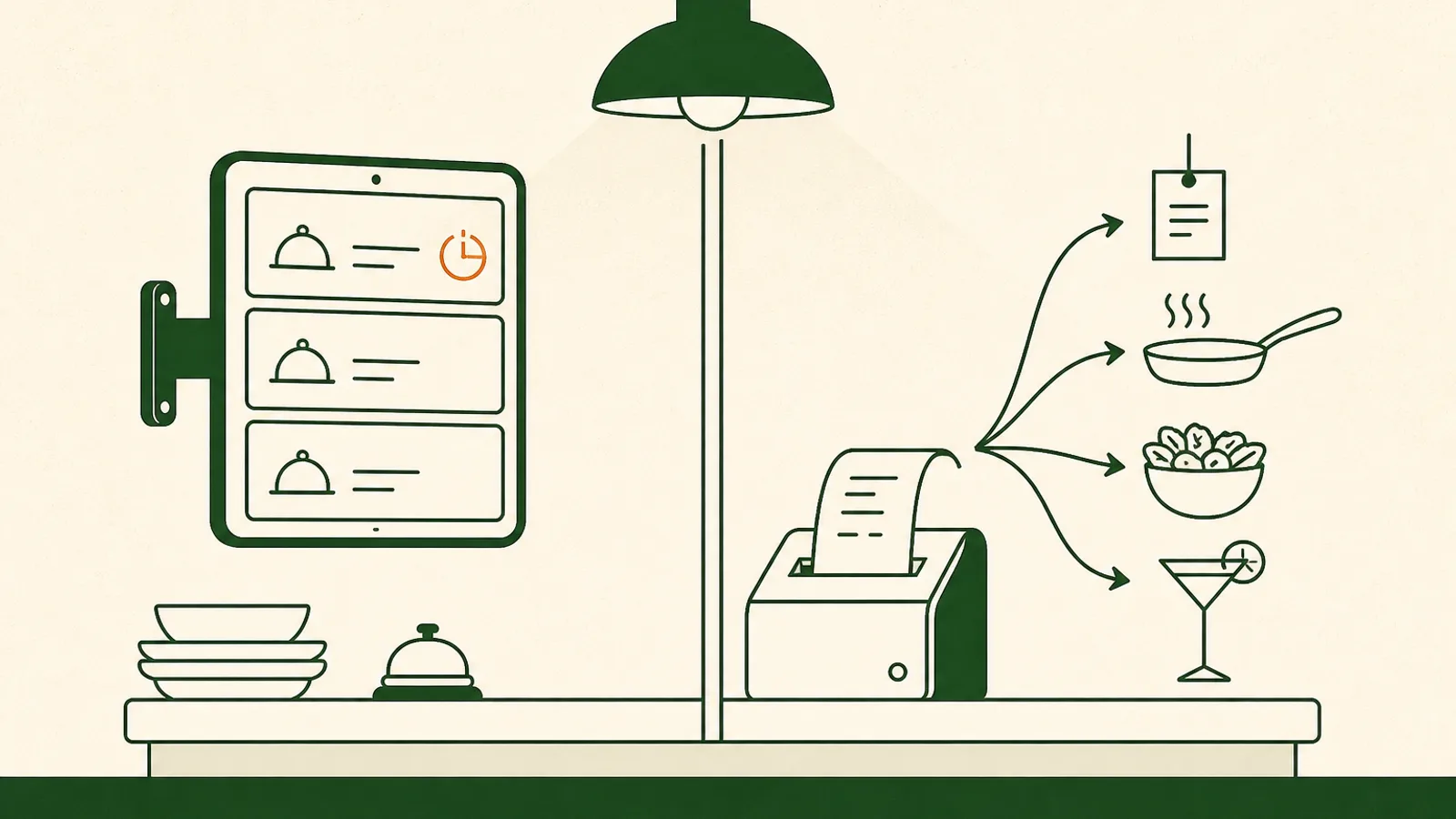
A kitchen display system is a screen at the pass, or one at each station, that replaces the printed ticket. The order appears the second it is fired, a timer starts, the ticket changes colour as it ages, and the cook bumps it when the dish goes out. That is the whole product. Whether it is worth buying comes down to one number: how many stations touch a single order before it reaches the guest. For a one-wok shophouse doing 80 covers, a KDS solves a problem you do not have. For a 180-cover restaurant with a cold section, a hot line, a bar and a delivery window, paper is probably already costing you more than the screens would. Here is where the line sits, in baht.
What a kitchen display system actually does
Strip the marketing and a KDS does five things.
It receives fired items, routed to the station that makes them. It puts a timer on every ticket and changes the colour as that ticket ages, so the oldest order is the loudest thing in the room. It lets the cook bump a ticket when the dish is up, and recall it when something comes back. It rolls up an all-day count, so the section knows it owes fourteen pad krapow rather than reading fourteen separate slips. And it records how long each ticket took, which is the only honest way to find out whether your 8pm problem is the kitchen or the floor.
What it does not do is cook faster. A KDS will not rescue a line that is one cook short, and it will not shorten a dish that takes fourteen minutes when twelve tables order it at once. It moves information around better. If your bottleneck is the wok, buy a wok.
The four signals you have outgrown paper
Ticket volume on its own is not the trigger. A 200-cover noodle shop with a single line runs fine on paper and always has. These four are the real signals.
- More than two stations plate the same ticket. Cold starters, hot mains, a bar, a dessert pass. Paper forces you to choose between printing the ticket several times and having one slip walk around the kitchen. Both go wrong at 8pm.
- Nobody can answer "where is table 12" without walking to the pass. Paper has no state. Once a ticket is printed the system knows nothing more about it until someone taps a status on the POS.
- Orders arrive from several channels at once. Dine-in, QR, takeaway, and delivery all firing into the same line. On Papaya, Grab orders sync natively and Deliverect fronts several aggregators through one connection, while LINE MAN, foodpanda and ShopeeFood orders are rung up and reconciled on the same screen rather than synced by API. Whichever way they arrive, the kitchen sees one queue, and the question becomes whether that queue is best read on paper or on glass.
- You want prep times you can measure. With paper the only timestamp you own is the print. Everything after it is a guess, including the one you give the guest.
Two or more of those and a screen is worth pricing. One or none and you are buying a demo.
What a kitchen display system costs
The part operators miss is that KDS pricing is almost always per screen, not per kitchen.
Square publishes its numbers, which makes it a useful benchmark: $20 per month per device on Square Premium, or $30 per device on Plus, and a Plus or Premium subscription is required before you can use KDS at all. A three-station kitchen on that pricing is $60 to $90 a month, roughly ฿2,000 to ฿3,000 at recent rates, on top of what you already pay for the POS.
Then the hardware. Most KDS apps will run on a tablet you already own, and that is the right way to trial one. Living over a wok line is a different story: steam, oil aerosol and heat turn a consumer tablet into a consumable, and the sealed kitchen-grade screens that survive it cost several times a tablet. Add mounting, a power run to a spot that has no socket today, and a wireless signal that holds up behind a stainless wall.
For contrast, Papaya is priced per outlet rather than per screen or per feature: ฿1,490 a month for POS Starter, ฿2,490 for Pro, with a 30-day trial, no setup fee, and one EDC terminal and printer included in Thailand. That is not an argument that per-screen pricing is wrong. It is a reminder to count your screens before you compare two monthly numbers.
Where the kitchen printer still wins
Paper gets dismissed too quickly, usually by people who do not work a line.
A ticket does not boot, does not log in, does not run out of battery and does not care that the router rebooted. It survives water, steam and a hand that just touched oil. It travels: it goes on the tray, it goes in the delivery bag, it goes on the rail in the order the tickets landed, and moving one ticket left or right is a physical act everyone in the kitchen understands. New staff read a ticket on day one with no training, which matters in a trade where a Saturday hire is a real thing.
Failure is also less concentrated. A dead screen takes a station out until someone finds a spare. A dead printer can be re-routed to another printer group in about a minute, and the station keeps cooking on the wrong-but-working printer next to it.
And in a lot of Thai kitchens the honest answer is that the cook can see the pass. If the person calling the order and the person cooking it are three metres apart and always will be, a screen is a solution looking for a room.
If you keep paper, make the printing good
Most of the frustration blamed on paper is actually routing. This is what a properly set up kitchen printing rig looks like, and all of it is configuration rather than new hardware.
Route each item to the station that makes it. Printer groups tie to menus, categories or individual items, so salads and starters print at the cold kitchen, drinks print at the bar, and mains and sides print on the hot line. You can also limit a group to specific sales channels or specific POS devices, which is how a delivery window gets its own ticket stream without seeing dine-in.
Set the grouping rule per station. One item per ticket suits a cold section plating in parallel. One ticket for the whole table suits a line that needs to see the full order to time it. Choose per group rather than accepting one rule for the building.
Decide the fire order. Items can fire in the order they hit the basket, or by course. Coursing and pacing with Hold & Fire, which is on Papaya POS Pro and above, is what stops the starters and the mains landing together on a full Friday.
Print the events, not just the order. Cancellation tickets, and tickets when a table is moved or merged, are what stop the line cooking for a table that got up and left twenty minutes ago.
Expect the printer to drop and recover. Jobs should queue while a printer is offline and flush when it comes back, the POS should say plainly that a printer is offline rather than silently swallowing tickets, and there should be a way to clear a stuck queue when a printer went to sleep mid-service. Reprints should come from the order, not from re-keying the items.
One more thing you get from doing it this way: every reprint, cancellation and refund lands in the order action log with a name and a timestamp. That audit trail is what a lot of operators think they are buying when they buy a KDS.
Where Papaya stands on this, straight
Papaya does not ship a bump-bar KDS with per-station screens today. We would rather write that sentence than stretch the word until it covers something else.
What Papaya runs the kitchen with is the printing rig described above, coursing and pacing on Pro and above, a live orders list and floor plan you can leave open on a tablet at the pass, and order status that reaches the guest's phone as Preparing and then Ready for pickup. For a large share of restaurants that is the whole job. For a multi-station kitchen that genuinely needs per-station timers and bump bars, it is a real gap, and it belongs in your comparison next to the things we do better, like QR and web ordering with no app for the guest and ingredient-level stock control on the same system that took the order.
What we would ask first is whether the problem is the medium or the routing. Most of the "we need a KDS" conversations we have start with a kitchen where every item prints to one printer at the pass.
The test to run this week
Five things, none of which cost anything.
- On your busiest night, count how many stations plate a single ticket. Write the number down. That number, not your cover count, is what decides this.
- Pull last month's reprints and item cancellations from the action log. Daily reprints point at routing or hardware, not at paper.
- Time ten tickets from fire to pass with a phone. That is the baseline any KDS has to beat, and now you can hold a vendor to it.
- Price the kitchen, not the screen: screens times the monthly per-device fee, times three years, plus hardware, plus one day of the team being slower while they learn it.
- Before you buy anything, split your one printer group into cold and hot and run a week. If the room calms down, you had a routing problem and you just fixed it for free.
If the room does not calm down, you now have a measured case, a baseline time to beat, and a screen count. That is a much better position to buy from than a demo where every ticket appears on cue.
Frequently asked questions
What is a kitchen display system?
A kitchen display system, or KDS, is a screen in the kitchen that shows orders instead of printing them. Items are routed to the station that makes them, each ticket carries a timer that changes colour as it ages, and the cook clears it with a bump bar or a tap when the dish is up. Better systems also push a status back to the floor and to the guest, and record how long each ticket actually took.
Do I need a KDS, or is a kitchen printer enough?
Count how many stations plate a single ticket on your busiest night. One station and the cook can see the pass, a printer is enough and a screen will change nothing. Two stations and it depends on your volume. Three or more, plus delivery orders arriving while dine-in is firing, and paper starts costing you in walking, shouting and remakes. Volume alone is not the trigger. A 200-cover noodle shop with one wok line still runs fine on paper.
How much does a kitchen display system cost?
The software is usually per screen per month, on top of your POS subscription. Square publishes $20 per month per device on its Premium plan and $30 on Plus, and a subscription is required to use it at all. Add the screens themselves. A tablet you already own can run most KDS apps, but a tablet living over a wok line in steam and oil is a consumable, and a sealed kitchen-grade screen costs real money. Price the whole kitchen, not one screen.
Does Papaya have a KDS?
Not a bump-bar KDS with per-station screens, and we would rather say that plainly than stretch the word. What Papaya runs the kitchen with today is ticket routing to any printer by station, coursing and pacing with Hold & Fire on Pro and above, a live orders list and floor plan you can leave open on a tablet at the pass, and order status that reaches the guest's phone as Preparing and then Ready. If per-station timers and bump bars are the feature you are buying for, weigh that gap.
Can I use a normal tablet as a kitchen display?
Yes, and most kitchens should try that before buying anything sealed. Mount it away from the steam line, keep it on mains power rather than battery, and give it a wired or strong wireless signal, because a screen that drops the connection mid-service is worse than paper. Run it for a month and see whether the line actually looks at it. Plenty of tablets end up facing the wall while the team keeps reading paper.
Buy the bottleneck, not the screen
Most kitchens that ask for a kitchen display system do not have a paper problem, they have a routing problem. Every item prints to one printer at the pass, someone tears the ticket and walks it to the section that needs it, and the whole room feels slow at 8pm. A screen makes that failure prettier without removing it. Splitting that one printer group into cold, hot and bar costs nothing and fixes it in an afternoon. So run the cheap test first. Split the routing, fix the fire order, and pull a month of reprints and cancellations out of your action log. If the room calms down, you just saved a per-screen subscription and a week of retraining. If it does not, you now have a measured case for a KDS, station by station, and you will know exactly how many screens you need and what they have to beat.
Restaurant benchmarks
See how your revenue, check and food cost rank against your segment.
More on Running the floor
Coursing, floor plans, staff and service — the day-to-day of a busy room.